
Files
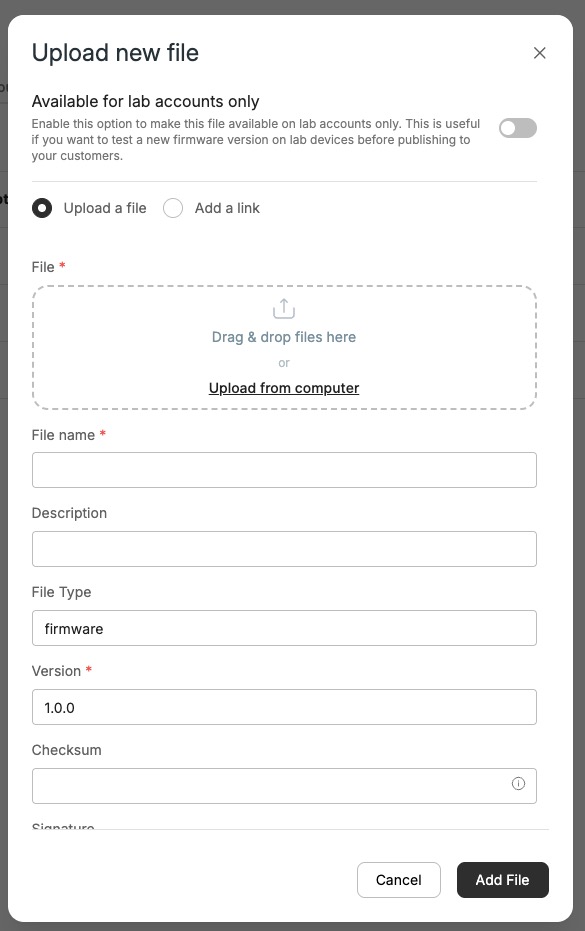
The Files tab manages files for this model — firmware, documents, and other assets. Click Upload new file to add one:
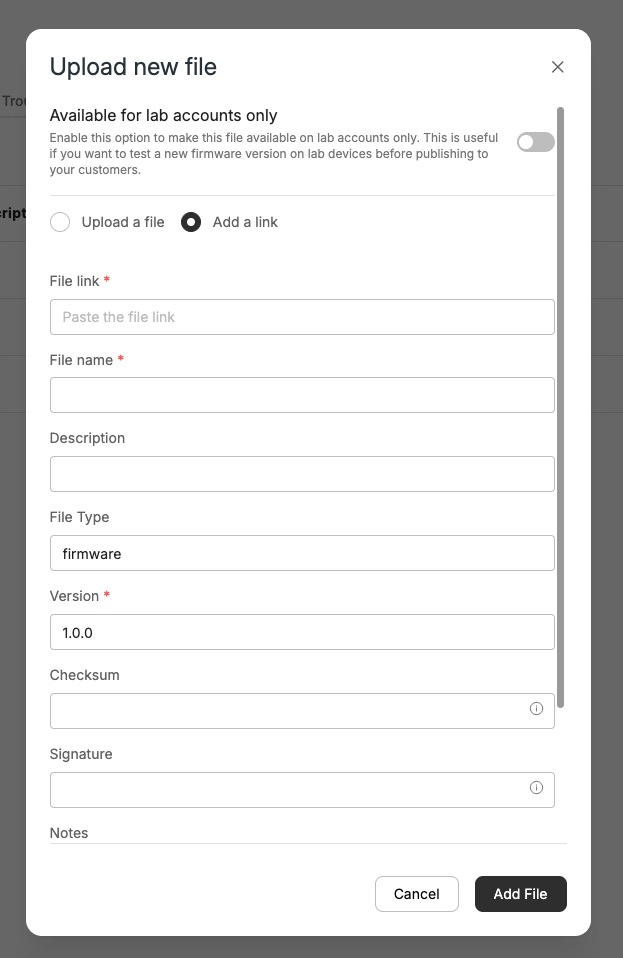
- Choose Upload a file (drag & drop, or upload from your computer) or Add a link — paste a URL to an externally hosted file.
- Set File name, Description, File Type (e.g. firmware), and Version, plus optional Checksum, Signature, and Notes.
- Enable Available for lab accounts only to test a new firmware version on lab devices before publishing it to your customers.
Add a link (host the file externally):
Updated 3 months ago